> ## Documentation Index
> Fetch the complete documentation index at: https://auth0-feat-init-gt-translations.mintlify.site/llms.txt
> Use this file to discover all available pages before exploring further.
> Auth0 Dashboard を使用して、アプリケーション向けのデータベース接続を設定する方法を説明します。
# データベース接続を設定する
Auth0 Dashboard を使用すると、アプリケーション向けのデータベース接続を設定できます。設定したデータベース接続は、アプリケーションへのログインに使用できます。接続を設定するには、次の手順に従ってください。
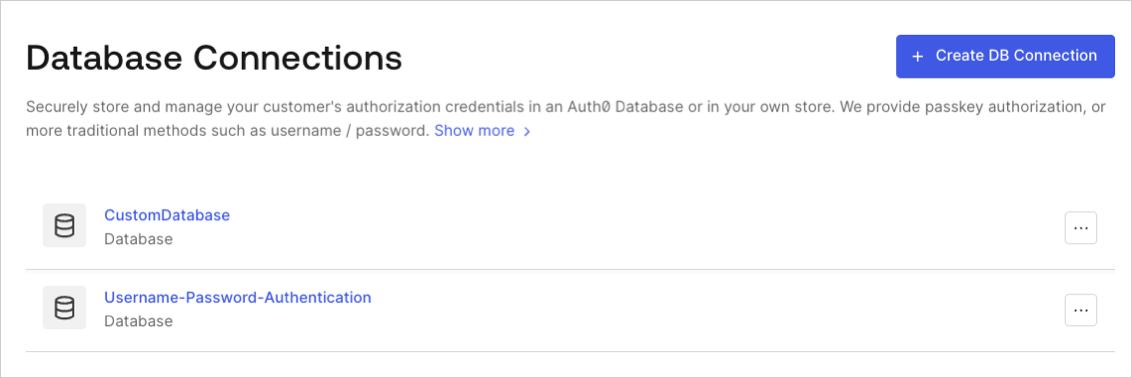
[Auth0 Dashboard > Authentication > Database](http://manage.auth0.com/#/connections/database) に移動し、**Create DB Connection** を選択します。
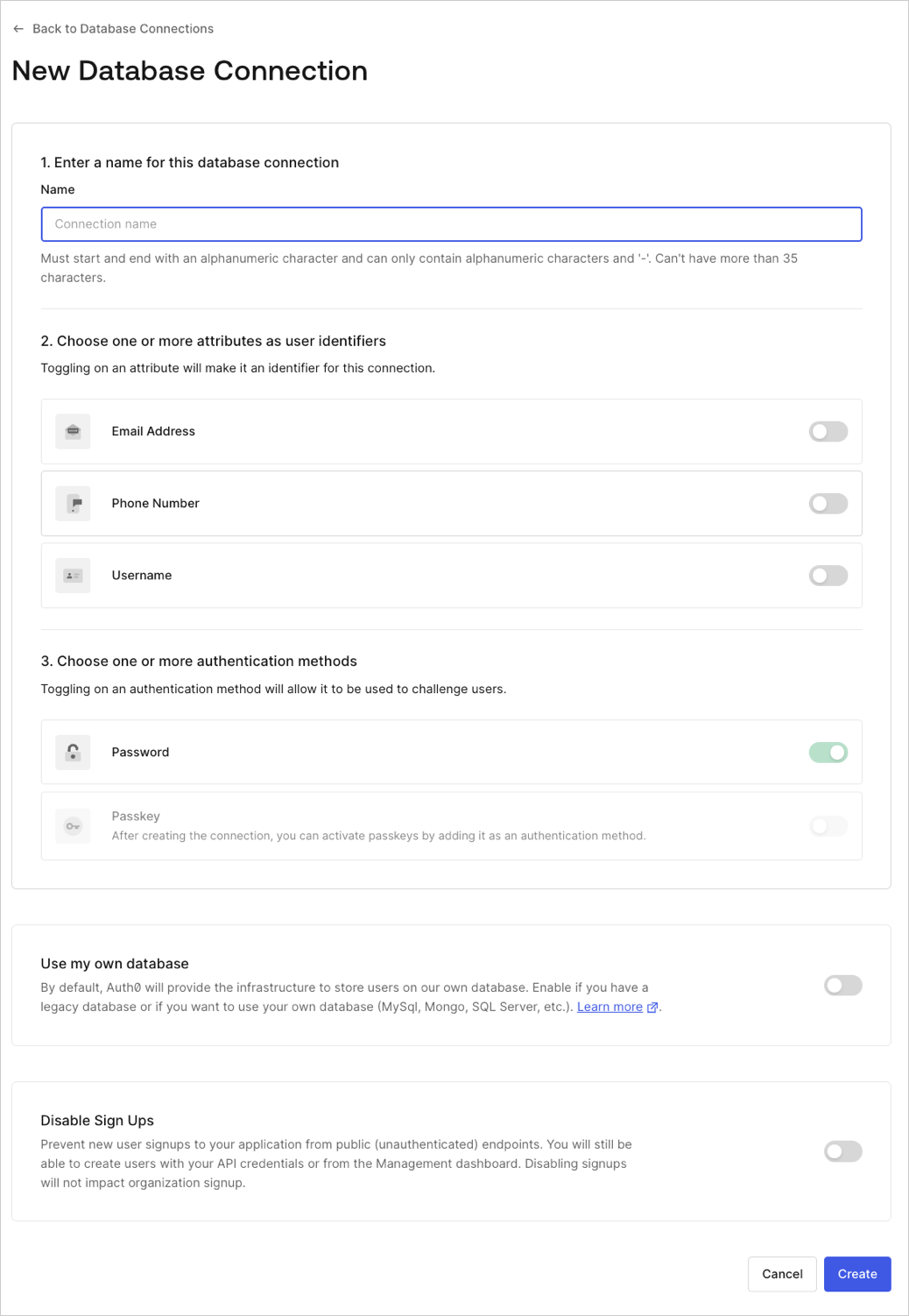
 接続名を入力し、**Create** を選択します。
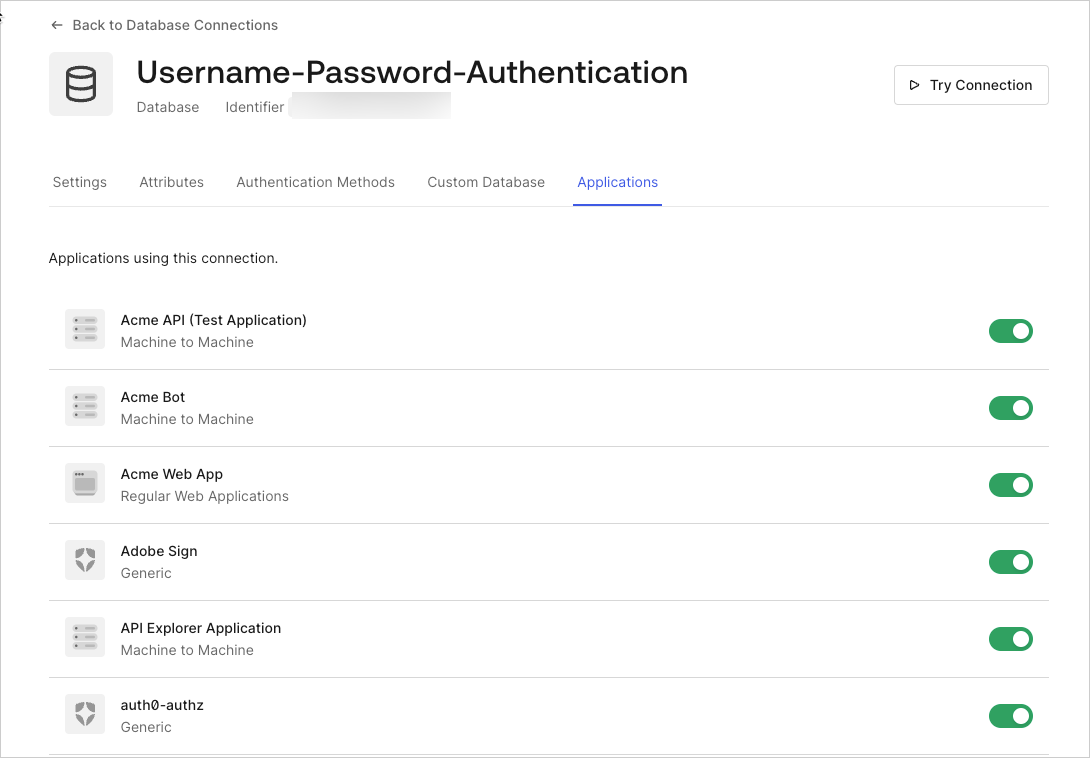
 **アプリケーション** ビューを選択し、この接続を使用できるようにする各 Auth0 アプリケーションのスイッチをオンにします。
 [サードパーティアプリケーション](/docs/ja-jp/get-started/applications/third-party-applications) がデータベース接続を介してユーザーを認証できるようにするには、その接続をドメインレベルに昇格する必要があります。詳しくは、[接続をドメインレベルで利用可能にする](/docs/ja-jp/authenticate/identity-providers/promote-connections-to-domain-level) を参照してください。
詳細はこちら
* [データベース接続をテストする](/docs/ja-jp/get-started/applications/test-database-connections)
* [接続をドメインレベルで利用可能にする](/docs/ja-jp/authenticate/identity-providers/promote-connections-to-domain-level)